The Work That Happens Before the Report
AI-powered reports only work if the data going in is right. Here's what changed in 2025 for the people collecting it.
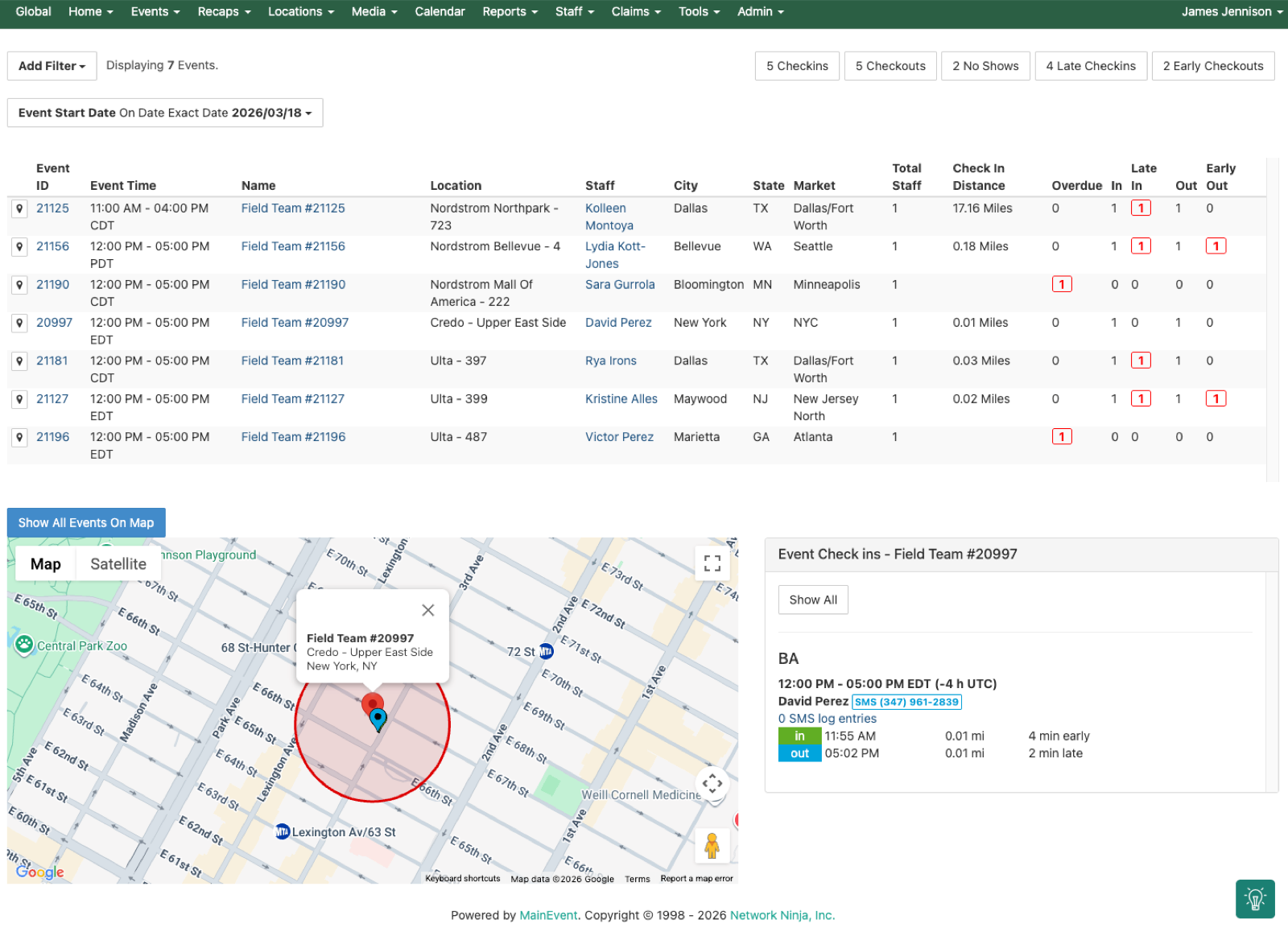
In our last post, we covered the big-picture changes MainEvent shipped in 2025: AI-powered reporting that cut weeks of manual work to 30 minutes, duplicate detection, automated alerts, and claims processing at scale. Those were the headlines.
But better reports only matter if the data going in was collected right. That happens in the field, not the dashboard. A brand ambassador opening the app at 9am before a sampling shift. A staffing coordinator deciding which rep to invite to a weekend event. An account director checking whether allocations are tracking against budget. An ops manager running payroll without surprises.
In 2025, we shipped 18 releases across 12 months. A lot of what shipped was the unglamorous infrastructure that makes everything else possible. Here’s what changed for the people doing the work.
Who Gets Scheduled and Why
Before 2025, inviting staff to an event through MainEvent’s RSVP system meant working from a list of names without much context. You knew who was available. You didn’t always know who was the right fit.
New columns on the invitation page now show three things at a glance:
- Distance to event so you’re not booking someone 90 minutes away when there’s a qualified rep 15 minutes out
- Staff rate so you can compare cost before committing
- Completed similar events so you can see how much experience they have with that event type
Specialty skill filters let you narrow by profile fields like mechanic, driver, or bilingual. Compliance flags warn about overtime before you create a scheduling problem. And pending shifts no longer show on staff portals until invitations are actually sent, so reps aren’t seeing shifts they haven’t been offered yet.
A new RSVP notifications index tracks every invitation sent, accepted, and followed up on in one place. No more digging through email to figure out who confirmed.
 Click to expand
What Reps See When They Open the App
Every feature in the last post is downstream of what brand ambassadors do on their phones in the field. If the app is clunky, the data suffers. Several changes in 2025 reduced friction at the point of capture:
State and province fields are now dropdowns instead of free-text entry. This sounds trivial until you’ve spent 45 minutes before a payroll run cleaning up “Tx” vs “TX” vs “Texas” across 200 events. The problem is eliminated at the source.
Event detail cards got a visual overhaul so reps have full context before check-in without switching screens. What they need to know, where they need to be, what they need to bring.
Multi-photo uploads on staff profiles and removable headshots so profile management doesn’t require a support ticket.
Photo upload permissions are now configurable by position type. Admins control which staff roles can submit photos from the app, so you’re not getting uploads from positions that shouldn’t be submitting them.
These are small changes individually. They compound across thousands of reps submitting recaps every day.
Workflow Enforcement: The Order Matters
We mentioned this briefly in the last post, but it deserves more detail because it’s one of the most operationally significant changes of the year.
New permissions enforce a strict sequence: check-in, then recap, then check-out, then claim submission. Staff can’t skip steps.
Why this matters: the most common data quality problem in field marketing is claims submitted before recaps are complete, recaps filed without check-in timestamps, and approvals hitting the queue with missing data. Every one of those creates downstream work for someone, a staffing coordinator chasing a missing recap, an account director rejecting a claim that shouldn’t have been submitted yet, a finance team reconciling payroll against incomplete records.
Configure the workflow order once at the program level. The system enforces it for every event, every rep, every shift. The result is cleaner data reaching the approval queue, which means fewer corrections, fewer disputes, and more trustworthy reports at the other end.
Claims: The Details That Add Up
The last post covered mass approval and two-tier review. Here’s what else changed in the claims workflow:
Position-based claim types mean a brand ambassador and a market manager at the same event submit different claim forms tailored to their role. The system considers the program, event type, and all position types assigned to the event when determining what a user can submit.
Payroll overlap checking flags a rep who submitted claims for overlapping time periods before you run the payroll file. Catch the error before it becomes a payment dispute.
Conflicting claims checks at the event level surface scheduling conflicts before they reach the approval queue.
Claim IDs are now visible everywhere: on shift cards on the event summary page, on the staff times page, and on both T&E and claims index pages. New columns on those indexes show event type, recap name, and event owner so approvers have full context without clicking into each claim.
Manual claim deletion with role-based permissions, so authorized users can clean up errors without a support ticket.
None of this is exciting in a demo. All of it is required at scale.
Allocations That Leave a Trail
Before 2025, changes to resource allocations left no trace. You knew the current state but not how you got there. If a budget number changed, you had no way to see who changed it, when, or which users were affected.
Allocation logging fixes that. Every edit is recorded with full history: who made the change, when they made it, and what was impacted. Select-all buttons for markets, programs, and teams make bulk updates faster. Search terms persist after selecting items so you’re not re-entering criteria every time you come back.
Allocation reports now export as numbers instead of text, so you can actually do math in Excel without reformatting columns. New fields include team start date and team end date for better period tracking.
Getting Your Data In: TDLinx Import
For programs in the alcohol and beverage vertical, the national retail universe data comes from TDLinx. Getting that data into your field marketing platform has historically been a manual, error-prone process.
The new TDLinx import tool lets you upload a master list of accounts and automatically match them to existing locations in MainEvent. For TDLinx numbers with no match, the system offers to create the location for you. This connects directly to the address validation and duplicate detection from the last post: every location that comes in through TDLinx is validated against what already exists, so you’re not creating duplicates on import.
Knowing What Matters Where: Census Demographics
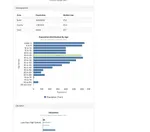
Every venue in MainEvent now shows U.S. Census demographics at the census-tract level: median income, age distribution, education levels, ethnicity, and language, all compared against county and state averages.
 Click to expand
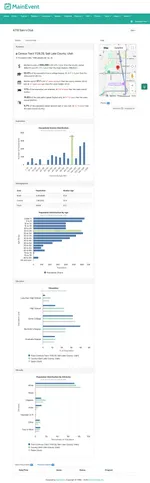
This is the data layer that powers the mAInevent Agents store recommendations we covered in Part 1. But even without Agents, the demographic data is available on every venue profile. An account director planning a sampling program can see whether a location’s local population matches their target demographic before scheduling a single event.
Report Scheduling: Set It and Forget It
Automated report delivery was mentioned in the last post. Here’s the full picture.
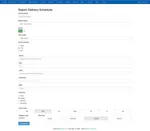
Schedule any report for delivery by email, FTP, or API. Pick the frequency: daily, weekly, monthly, or quarterly. Choose the day of the week, the time, and the timezone. Customize the subject line and message body. Add multiple recipients.
Every delivery is logged with start time, finish time, and delivery status. If a report didn’t go out, you know exactly when it failed.
 Click to expand
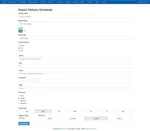
For teams that feed MainEvent data into external BI tools like Tableau or Power BI, the FTP and API delivery options mean scheduled data feeds without anyone manually exporting and uploading.
Banner Notifications and Index Pages
Banner notifications got a configuration overhaul: they’re now managed from the global configuration menu with reorganized checkbox controls, timeouts and cooldown periods for dismissible banners, improved date and time inputs, and the ability to open hyperlinks in a new tab.
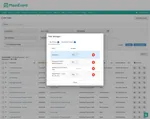
Index pages across MainEvent got a visual refresh. Same functionality, cleaner look, better accessibility. Updated search fields, buttons, and columns offer a streamlined appearance. New columns on various indexes include event type, recap name, team, and request name. The media gallery expanded image view now shows event type, event owner, media tags, recap definition, teams, location type, and region.
Hope Harl, Account Supervisor at 160over90, manages approximately 400 events per month across Pernod Ricard and Southern Glazers accounts. The index page improvements and saved filters are a daily necessity at that volume.
Eighteen Releases
Every feature in this post and the last one shipped through MainEvent’s two-week release cadence. Eighteen releases across 12 months. No big-bang updates, no “wait until next quarter.” When something needed fixing or a customer requested an improvement, it went into the pipeline and shipped.
That cadence is a commitment. This post, and the one before it, is the proof.
If you missed Part 1, start there: From Two Weeks to Thirty Minutes: How MainEvent Changed in 2025
Schedule a call and let’s talk about what’s slowing your team down.